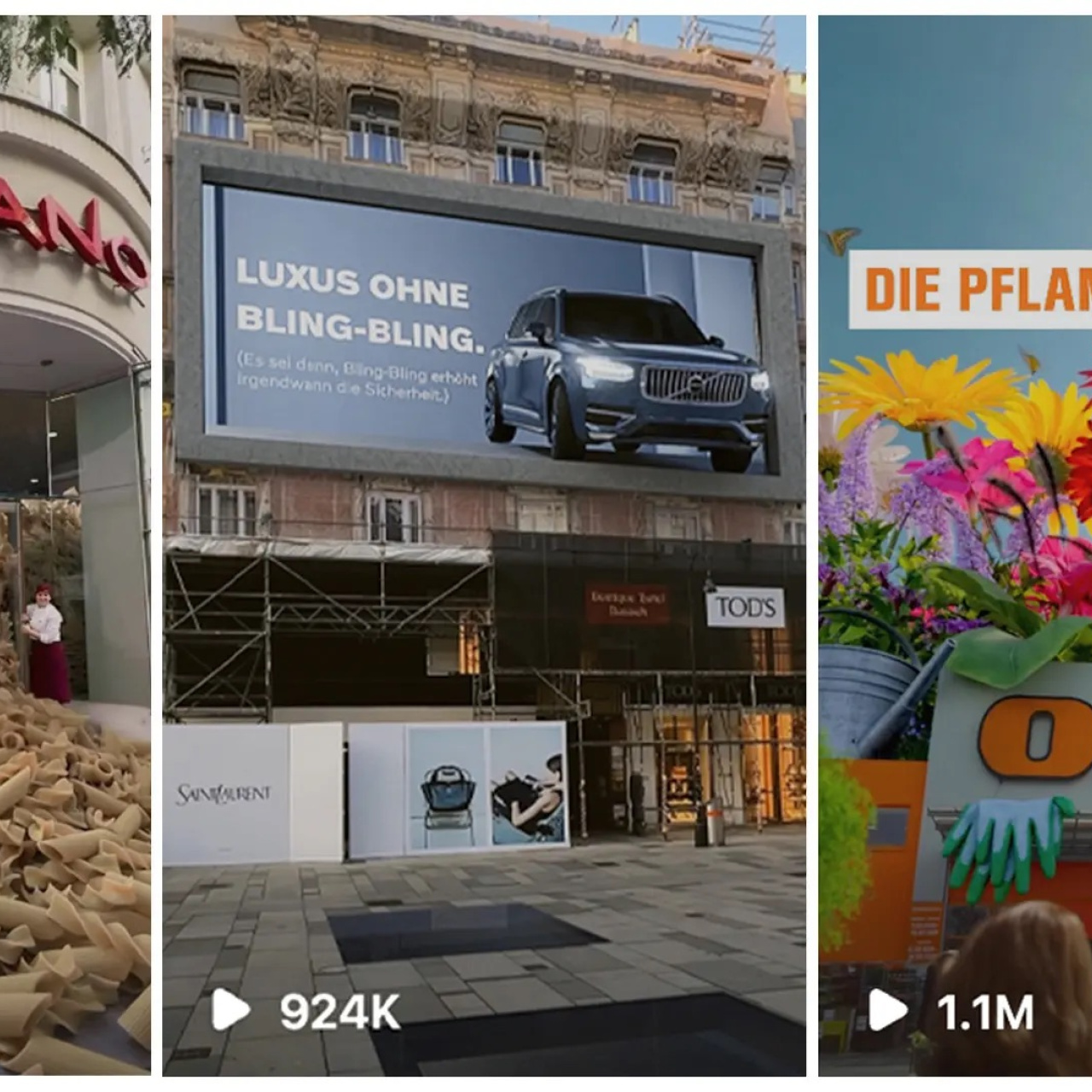
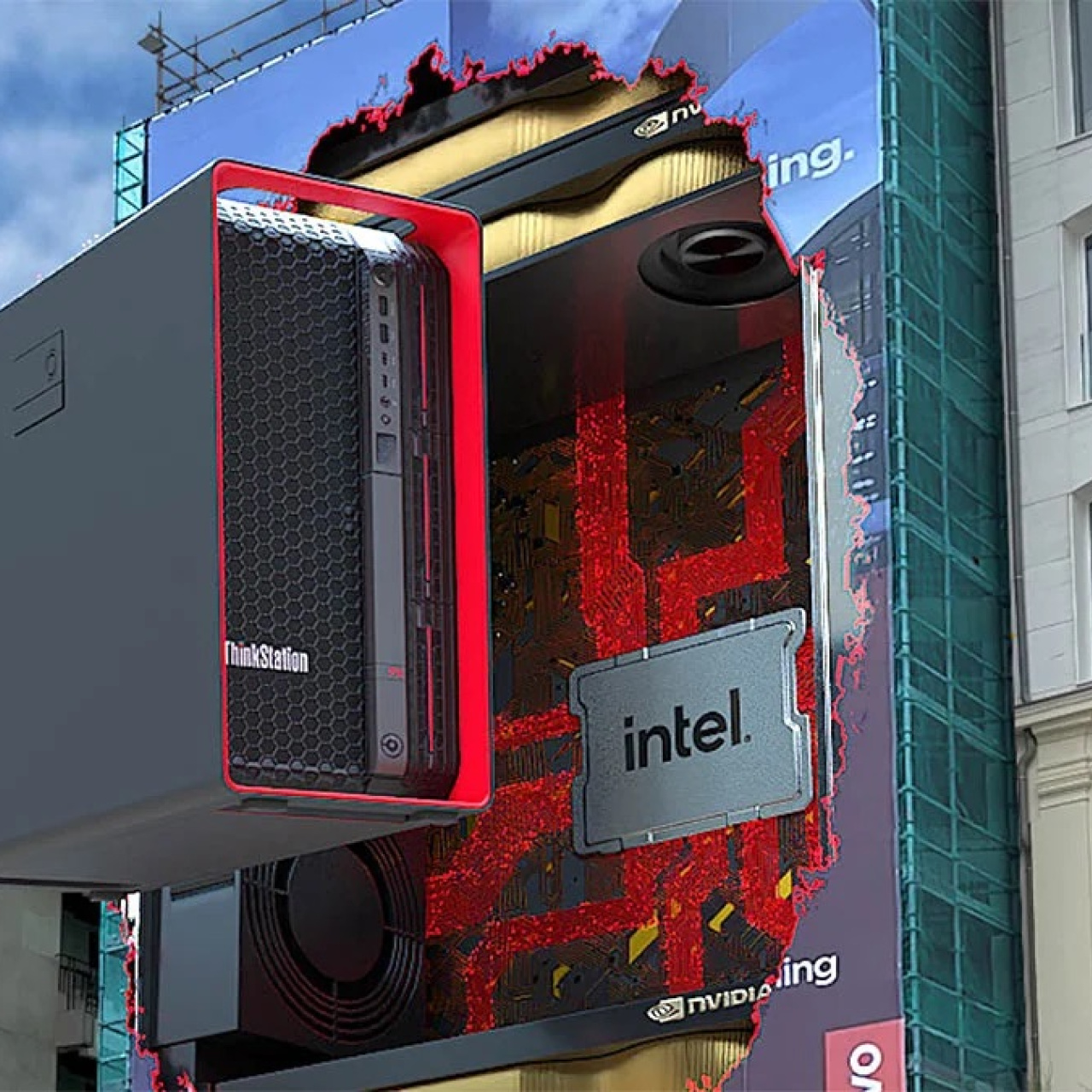
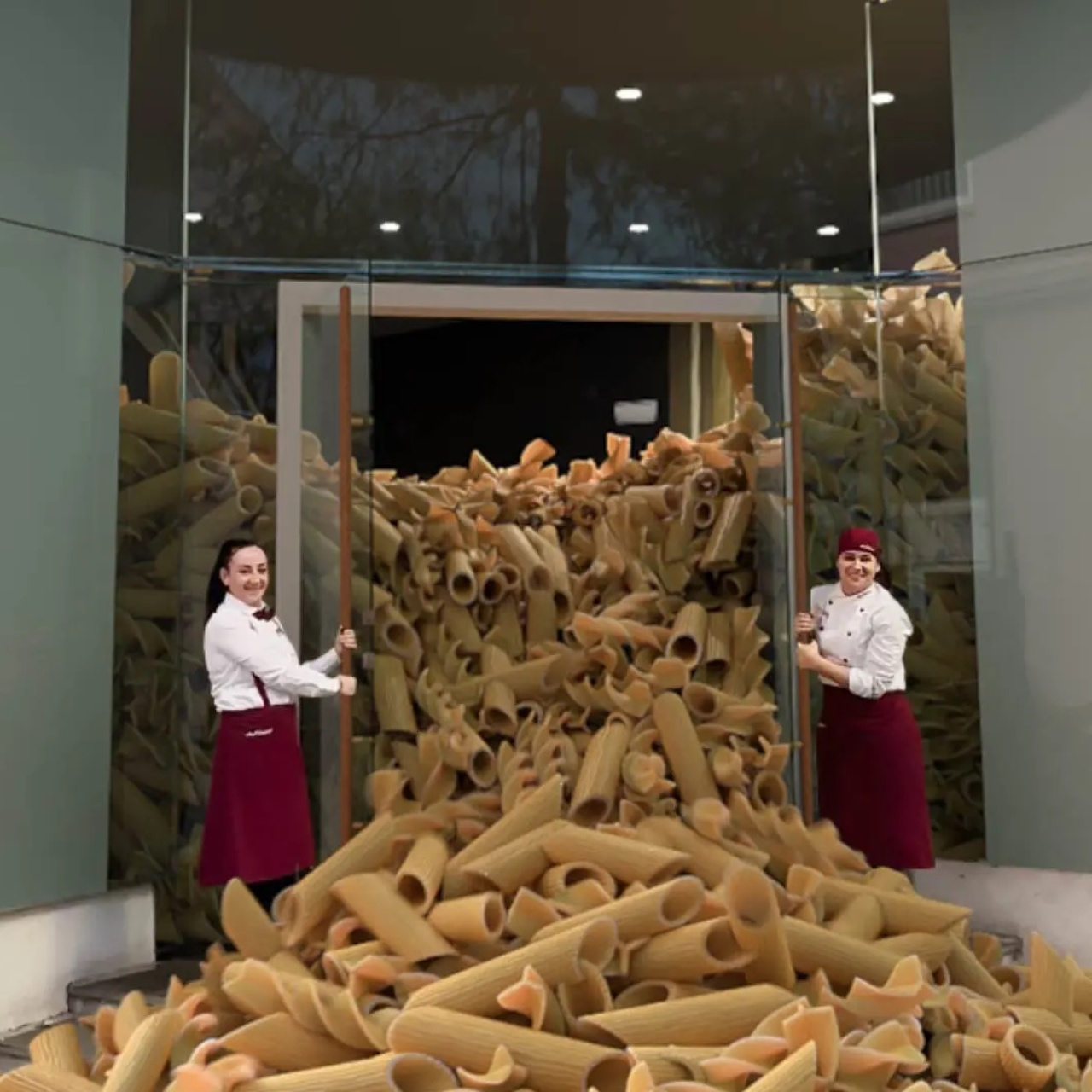
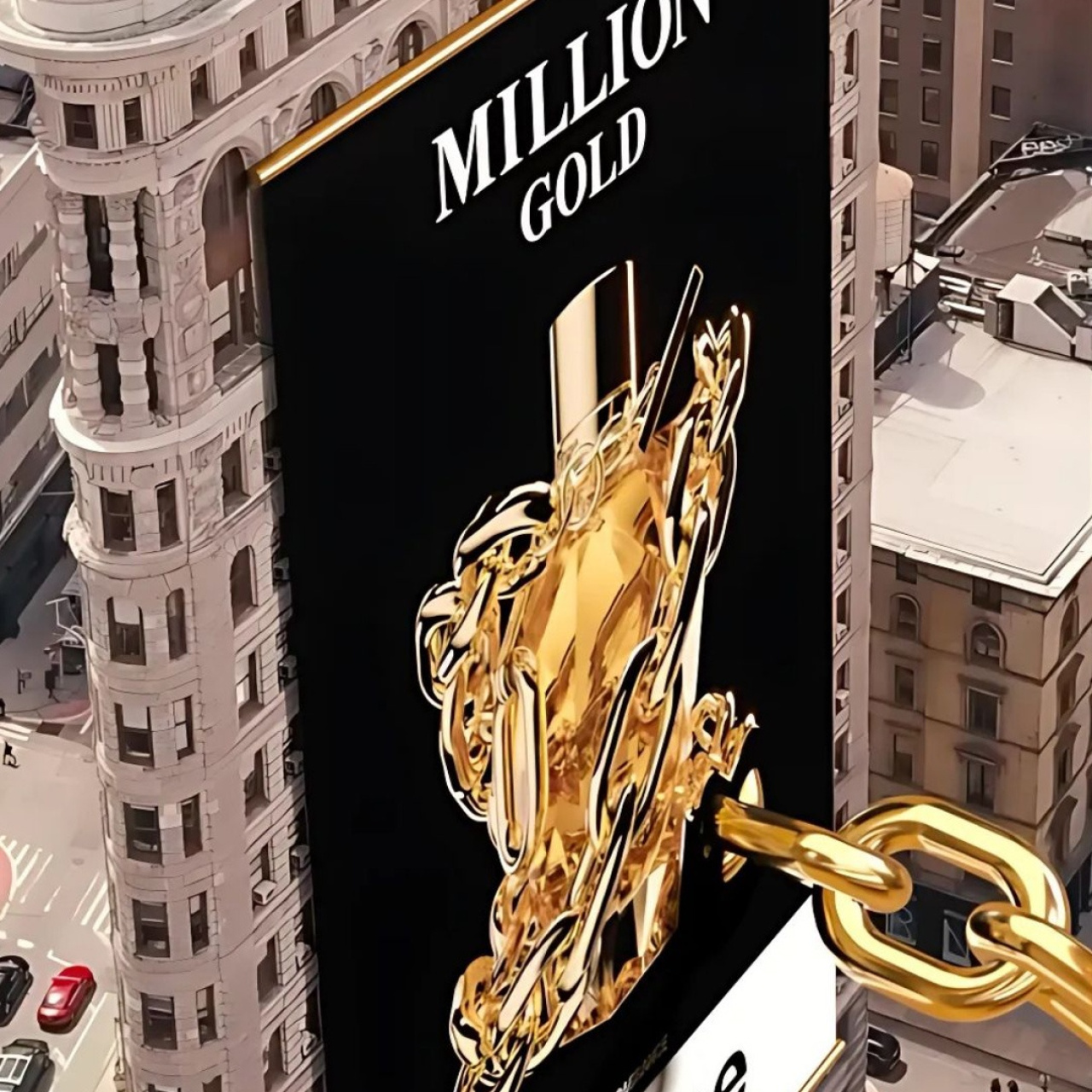
Nearly 90% of consumers skip, ignore, or avoid ads whenever they can.
That creates a problem for brands online. Attention is short, and people have gotten good at filtering out anything that immediately looks like advertising.
Fake Out of Home ads started gaining traction because they interrupt that pattern.
These campaigns combine real-world footage with CGI to create scenes that feel unusual enough to stop the scroll. A giant handbag moving through a city. A billboard interacting with the environment around it. A product placed into a real location in a way that feels slightly impossible but still believable for a second.
That short moment of hesitation matters. People replay the clip, send it to friends, or pause long enough to figure out how it was made. On short-form platforms where most content gets skipped quickly, that reaction is valuable.
But strong FOOH campaigns don’t begin during editing or post-production. Most of the work starts much earlier, during ideation.
The planning stage determines whether the concept is actually strong enough to hold attention once it’s online. This is where teams shape the visual hook, figure out how the CGI interacts with the environment, and test whether the idea fits both the brand and the platform it’s being created for.
This guide breaks down how FOOH ideation works, which tools help during planning, what factors teams should evaluate before production, and how rough concepts become production-ready campaigns.
What is FOOH Ideation?
FOOH ideation is the planning stage where the core concept of the ad gets developed before production starts. This is where teams figure out the visual hook, the location, the product interaction, and how the CGI will fit naturally into the real-world footage.
The strongest FOOH ads usually look simple when finished, but getting to that simplicity often takes multiple rounds of testing and refinement.
And a lot of ideation comes down to simplification. Teams often begin with larger ideas, then strip away unnecessary elements until the visual becomes easier to process. Strong FOOH ads usually center around one clear idea that people immediately understand and remember afterward.
1. Visual planning and mood boards
Canva: Canva is useful during early planning because it makes visual organization quick and accessible. Teams can build mood boards, campaign references, and rough presentations without needing advanced design skills.
That flexibility helps when concepts change direction mid-process. Instead of rebuilding presentations from scratch, teams can quickly swap references, test layouts, and adjust the overall tone of the campaign.
Pinterest: Pinterest works well for gathering references quickly during ideation. Teams often use it to collect inspiration for locations, lighting, CGI styles, styling, or campaign mood.
Organizing references visually also helps align the team faster. People can point toward visuals that already communicate the atmosphere clearly.
2. Collaborative brainstorming
Miro: Miro helps teams brainstorm visually in real time. Since FOOH concepts rely heavily on environments and visual interactions, having a shared workspace makes ideation easier to organize.
Teams can map ideas, connect references, leave feedback, and rearrange concepts without losing earlier directions. This is especially useful because most FOOH campaigns improve gradually through iteration.
FigJam: FigJam helps with rough sequencing and quick visual planning. Teams can sketch movement, timing, or scene flow before production starts.
Because a lot of ideas sound stronger verbally than they look visually, quick mockups inside FigJam usually reveal whether the concept actually reads clearly once imagined as a short-form video.
3. Idea conceptualization
ChatGPT: ChatGPT works best as a support tool during brainstorming. It helps generate alternative hooks, simplify complicated concepts, or explore different visual directions quickly.
Paired with AI image tools, teams can also test rough visual ideas early. These references also help explore scale, atmosphere, composition, and lighting before detailed production planning begins.
Still, AI-generated visuals should stay positioned as concept references rather than final previews. Early mockups can create unrealistic expectations if they’re treated too literally.
Jasper: Jasper is another tool that's useful for refining campaign language once the visual direction already exists. It helps tighten headlines, campaign summaries, presentations, and creative rationale.
And this is integral during client presentations where teams need to explain the concept clearly without overcomplicating it.
4. Brainstorming techniques that help unblock ideas
Even with good tools, brainstorming sessions can still stall. When ideas start feeling repetitive, changing the brainstorming method usually works better than forcing more output.
Here are a few techniques that work especially well during FOOH ideation:
Mind Mapping: Start with one idea, then branch outward into locations, emotions, interactions, or visual variations connected to it.
SCAMPER: Modify existing ideas by substituting, combining, reversing, adapting, or removing elements.
Random Word Association: Force connections between unrelated words and the campaign concept to create less predictable ideas.
Role Reversal: Approach the ad from another perspective, like the audience inside the scene or the product itself.
These exercises help teams break repetitive thinking patterns before production begins.
5 Steps for Turning FOOH Ideas Into Real Campaigns
A strong idea still needs to survive production.
This stage is where teams figure out whether the concept actually works outside of brainstorming. A lot of FOOH ideas sound exciting initially but become confusing, too expensive, or technically difficult once production planning begins.
The goal here is to tighten the concept before time and budget start getting committed.
1. Build a storyboard or rough sequence
The first step is translating the idea into a visual sequence. Storyboards, rough sketches, or quick mockups help map out how the ad unfolds shot by shot.
This usually exposes weak spots early. If the pacing feels confusing in a rough storyboard, it’ll almost always feel worse in the final edit. A quick visual draft also helps teams align faster before filming starts.
2. Define the important visual details
Once the structure feels clear, teams can start refining the details that affect realism. Lighting, object scale, textures, reflections, and CGI interactions all influence whether the illusion feels believable enough.
This is where the mood boards come into the picture. Teams can point toward clear references everyone already understands.
3. Check whether the concept is actually doable
Some ideas look simple creatively but become complicated once production logistics enter the conversation. Public filming permits, landmark restrictions, weather conditions, and technical complexity can all affect execution.
This is usually where concepts get adjusted. Small changes to the environment, timing, or camera movement can make production significantly easier without weakening the core idea.
4. Test the concept before full production
Showing rough concepts to a small group often reveals problems quickly. Sometimes the visual isn’t as clear as expected, or viewers focus on the wrong part of the scene entirely.
Testing early is cheaper than fixing problems later during post-production. Even simple feedback can help teams simplify the idea before production costs start building up.
5. Bring technical teams in early
VFX artists, editors, and production teams should be involved before the concept gets finalized. Their feedback helps determine whether the idea fits the timeline, available tools, and production budget realistically.
That usually leads to stronger execution overall. Creative ideas tend to hold together better when the production side is involved early instead of trying to solve problems after filming already begins.